Streamlit Apps
This documentation is an extension to the README documentation on the Streamlit Apps developed as part of cctv-apps repository.
11/08/23: Due to the limitation of carousel component in streamlit which forces us to copy the frames to be displayed in the carousel to a folder named public, Sudhir decided that we should move to a web app based on another framework.
06/14/24: We have bypassed the above limitation by hosting the frames on an nginx webserver whose repository can be found here: https://github.com/gqc/simple-image-server . Furthermore the streamlit apps and the image webserver have been dockerized with the docker-compose.yml being stored in the repository for the streamlit apps (https://github.com/gqc/cctv-apps).
Note: For functions that take a long time to execute, consider using streamlit's cache decorators. The official streamlit docs have an excellent explanation of using caching in a streamlit application. The docs can be found here.
Information
The Apps need some pre-requisites that need to be configured. The details are available here.
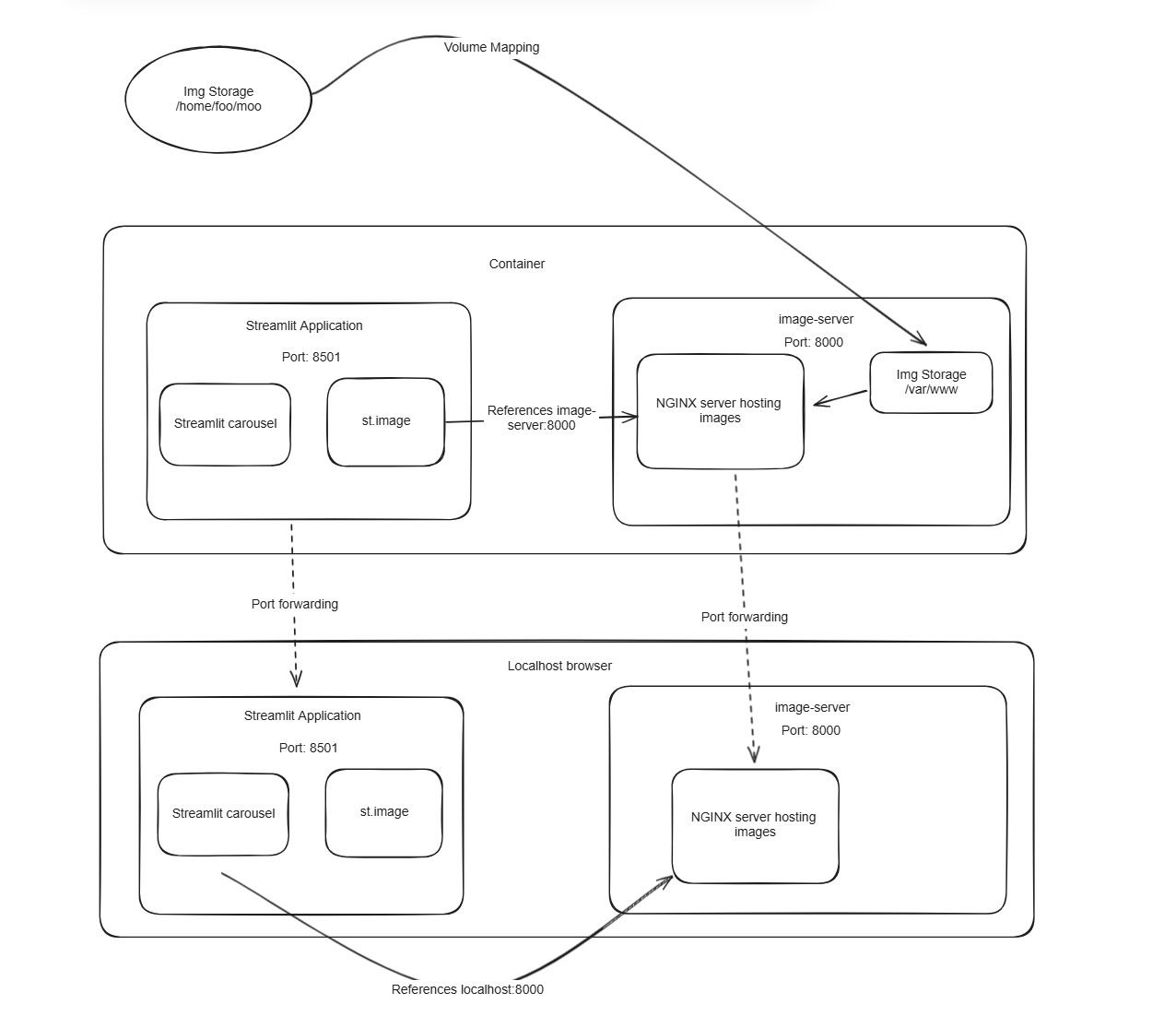
Image storage and retrieval architecture on Streamlit Apps:
Note: The local directory foo/ in the image server and all its subdirectories are mapped to the foo/ directory in the image docker container with the subfolders having the same names.
Detailed architecture on image retrival and volume mapping:
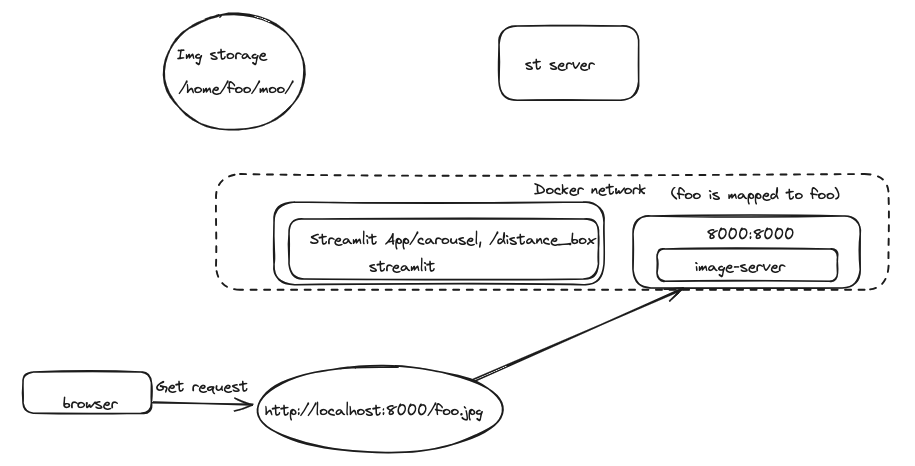
Proposed Idea for serving zip files to and from the image server:
Excalidraw diagram:
Important folders and their meanings:
public: The public folder contains subfolders that store the image files that are used in the application. The CSV files which are fed as inputs to the streamlit application are used to reference the images inside the public folder (for an example, look at test.csv in the csv folder on the msi server).
csv: The csv folder contains the CSV files that are referenced in the streamlit apps.
Dataflow diagrams for the apps
AI-Prediction
Sketch of the process flow within AI-prediction.py:
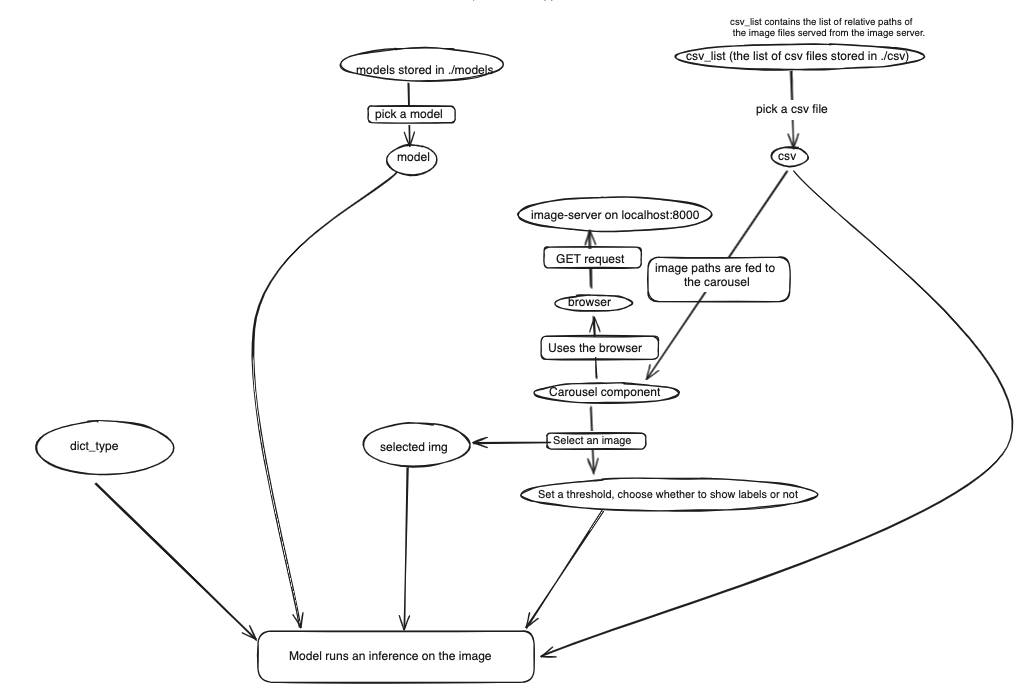
Required CSV columns:
namesorfnamecolumn(Optional)
labelnames,labels
SD1/2023_05_26/05052020/4102020-24736 PM-DUSTIN BOWCOCK_010350.jpg,TFA
SD1/2023_05_26/05052020/4102020-24736 PM-DUSTIN BOWCOCK_010380.jpg,TFA
Azure OCR Requests App
Required CSV columns:
namescolumn
Concept App
Required CSV columns:
namescolumn
Confusion Matrix Analyzer
Required CSV columns:
namesfnamepredictedactual_binaryDidn't find an example csv file.
Defect Type classifier based on the middle frames containing defects
Requires frames containing defect annotations
Process flow for Defect Type Classifier (based on defect frames):
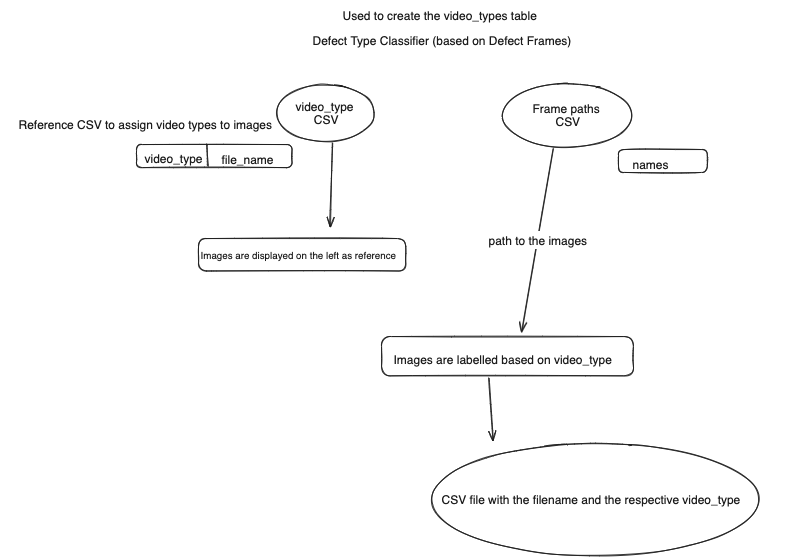
Video-types CSV columns:
video_typefile_namevideo_type,file_name
SD1-video_type_1,SD1_video_file_types/SD1-video_type_1.PNG
SD1-video_type_2,SD1_video_file_types/SD1-video_type_2.PNG
Frame paths CSV columns:
names
Defect Type Classifier based on videos containing defects
Require videos to be converted into
h264mp4.
Video-types CSV columns:
video_typefile_namevideo_type,file_name
SD1-video_type_1,SD1_video_file_types/SD1-video_type_1.PNG
SD1-video_type_2,SD1_video_file_types/SD1-video_type_2.PNG
Video paths CSV columns:
namespath to mp4 files
Distance Region Extractor and Video Size Determiner
This application is used to create the distance_bounding_boxes.csv file.
Require middle frames to be extracted from the videos for this
Frame paths CSV columns:
namespath to frames in public folder.
Easy OCR
Frame paths CSV columns:
namespath to frames in public folder.
Image Labeller
inserts
fname,defect, andvideo_nameto the DB table,defects
Frame paths CSV columns:
namespath to frames in public folder.
Visualizer
Frame paths CSV columns:
namespath to frames in public folder.
App details
1. AI-Prediction
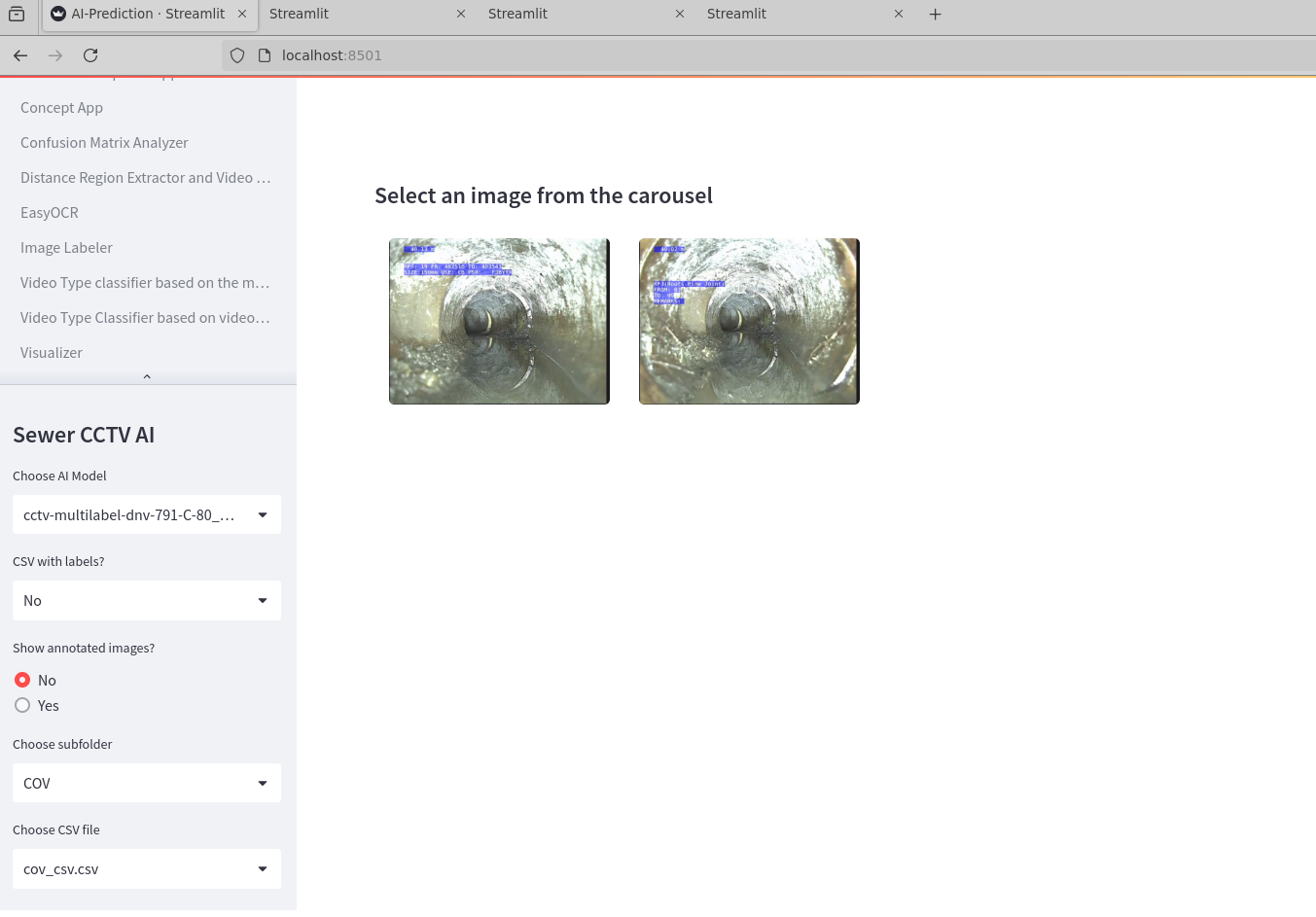
- This is used to test the performance of our CCTV models.
- Inputs:
- Model file ← a
dropdownwhich lists model files copied into./modelsdirectory - CSV file of labelled images ← a
dropdownwhich lists csv files copied into./CSVdirectory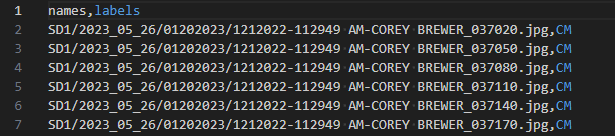
Column names:fnameornames← Relative path to the image file from the./publicdirectory including the image file extension.labels(Optional) ← Assigned defect label for the image. No multi-label support.
CSV with labels?switch ← adropdownto chooseYesorNoto let the app know if the CSV has labels and to show annotated images.Show annotated images?switch ← adropdownto pickYesorNo. But no functional
- Model file ← a
2. Azure OCR Requests App
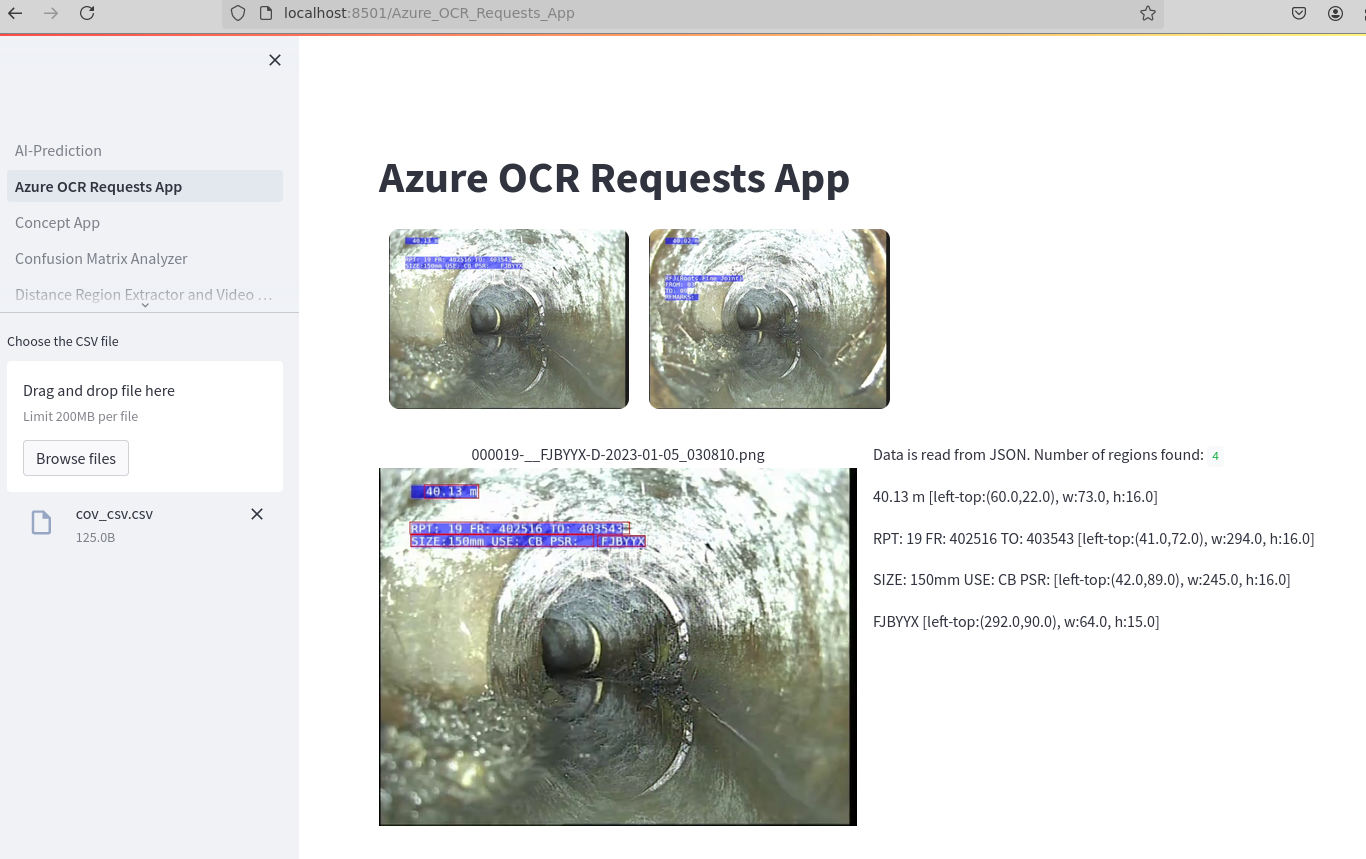
- This is used to employ the Azure Vision API in order to find text from images
- Inputs: CSV file
3. Concept App
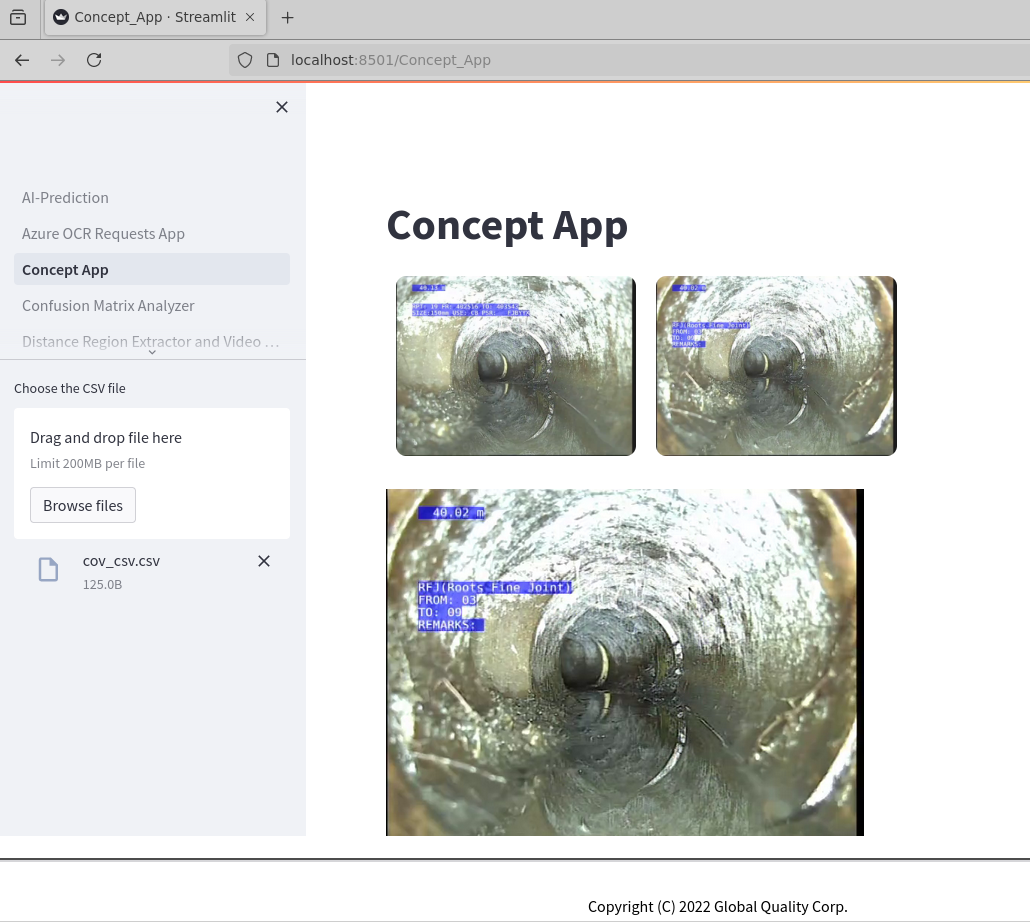
- No Details
- Inputs: CSV file
4. Confusion matrix Analyzer
- This is used to analyze using confusion matrix
- Inputs: CSV File, Filter
5. Video Type Classifier based on the middle frame of videos containing defects
(known as Defect Type Classifier (based on frames) before)
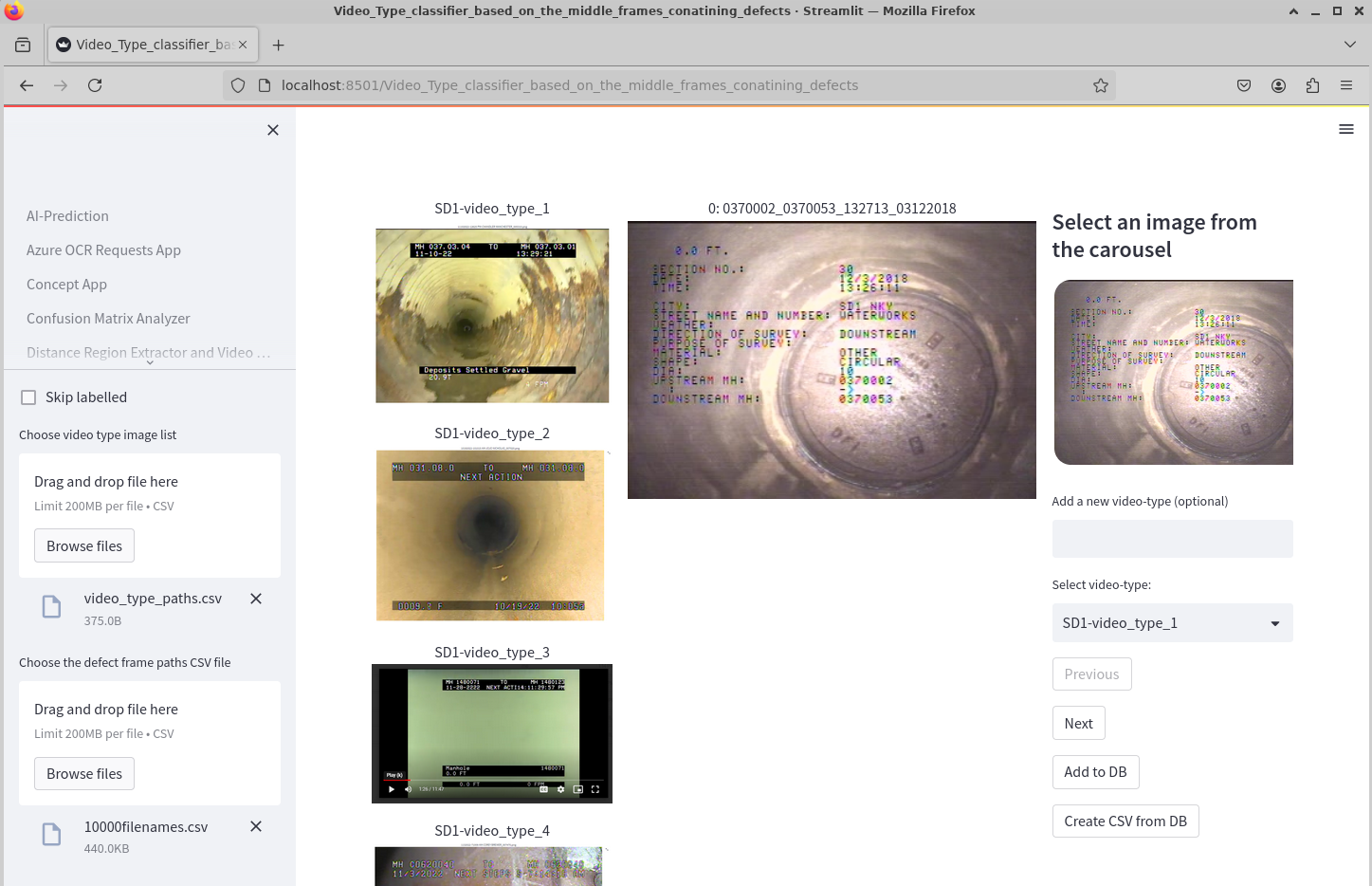 Note: Video Type Classifier based on the middle frame of videos and Video Type Classifier based on videos are used for the same purpose with the only difference being the middle frame being used as opposed to the entire video.
- This is used to analyze the middle frames (currently middle), each extracted from a set of videos to identify the type of videos.
- This is done using Video Types that appear in carousel as reference. Sometimes when it is confusing, we refer to the documentation here.
- For each frame, we refer to the video type images, assign a defect type, save to DB, and repeat. In the end, we generate the CSV using
Generate CSV from DB. - Inputs:
- CSV with list of video types and the path to the respective images.
- CSV with paths to the video frames.
- Output:
- CSV file with two columns: video_id and video_type to associate a video_id with the video_type.
6. Video Type Classifier based on videos containing defects
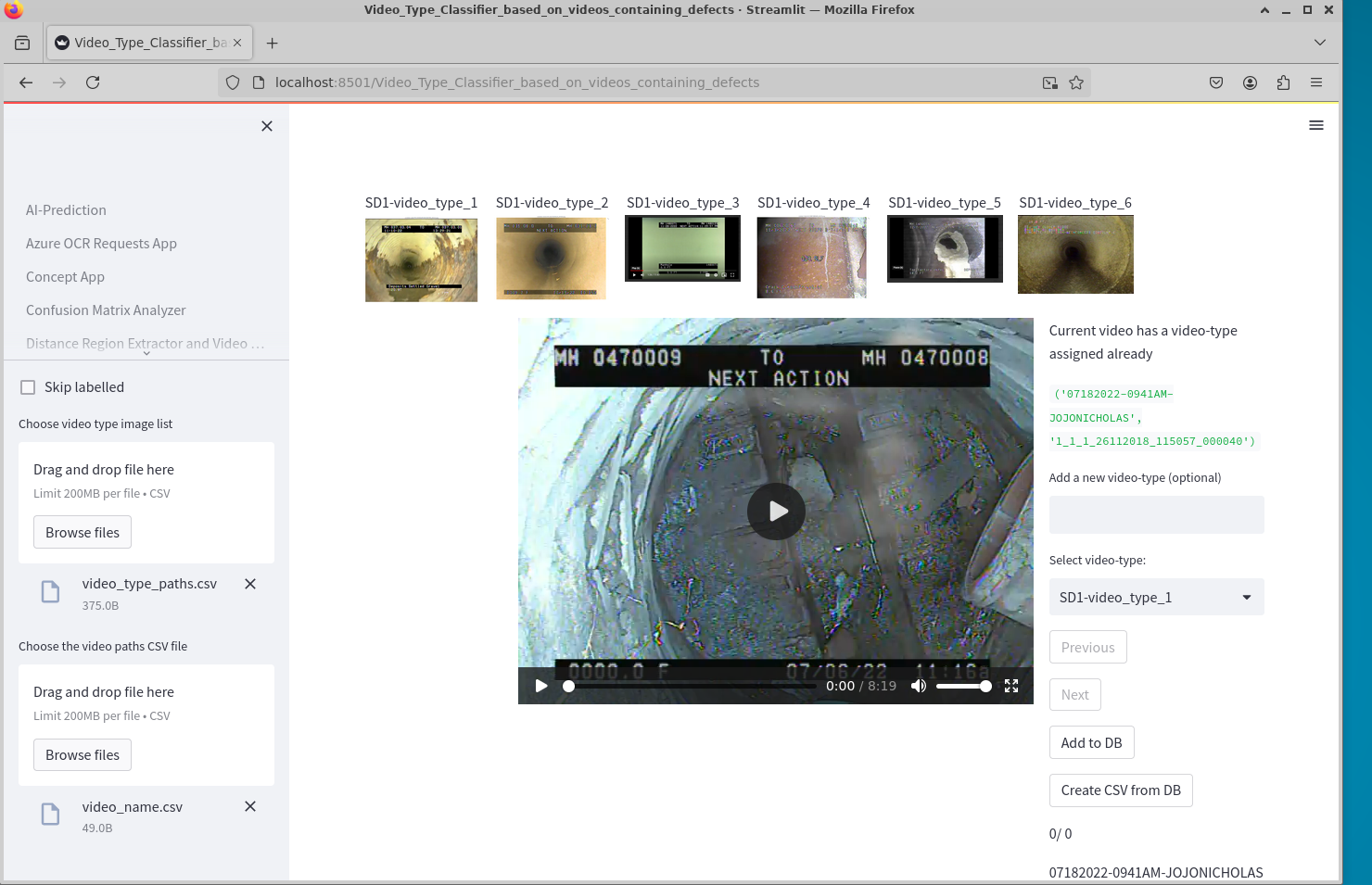 (known as Defect Type Classifier (based on videos before))
Note: Video Type Classifier based on videos and Video Type Classifier based on the middle frame of videos are used for the same purpose with the only difference being the entire video being used as opposed to only the middle frame.
- This is used to analyze the videos directly to determine the video types.
- This also needs the video types CSV, more details found here.
- Inputs:
- CSV with list of video types and the path to the respective images.
- CSV with paths to the videos.
- Output:
- CSV file with two columns: video_id and video_type to associate a video_type with a video_id.
7. Distance Region Extractor
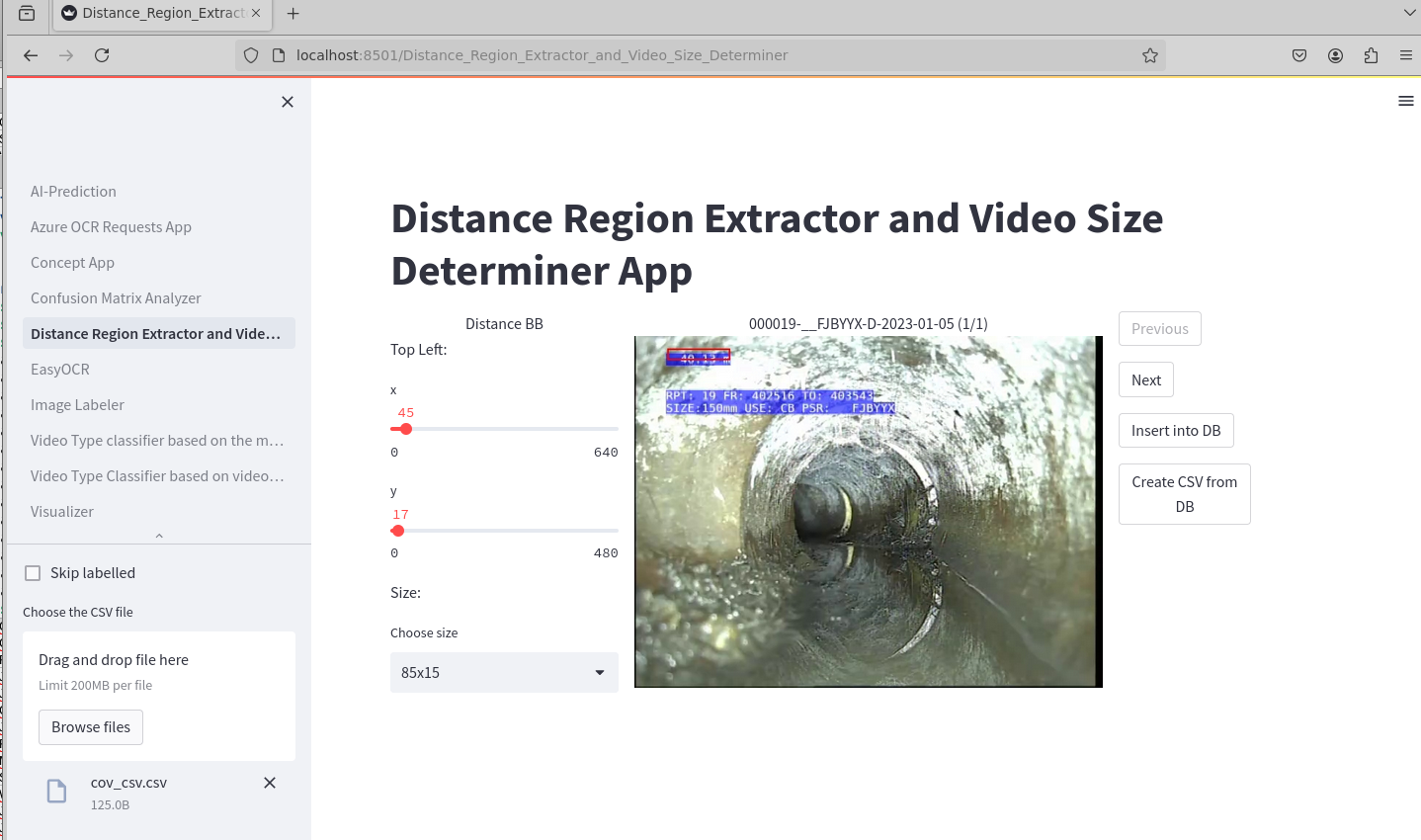 This part of the streamlit application is used to created the distance_bounding_boxes.csv file that is used in the cctv_cv preprocessing workflow.
- This is used to annotate the middle or sample frames extracted from each video, as to where the distance region is located in the frame.
- This has the Positioning inputs, Height & width options to edit the size and placement of the box. Once done, we add them to DB and at the end, we click
Generate CSV from DB. The CSV file that is generated stores the positioning inputs and the height and width of the bounding box that was specified. - Inputs:
- CSV with list of video types and the path to the respective images.
- CSV with paths to the videos, residing under
/public.
8. EasyOCR
- This app uses a pretrained model to find text from an image
9. Image Labeller
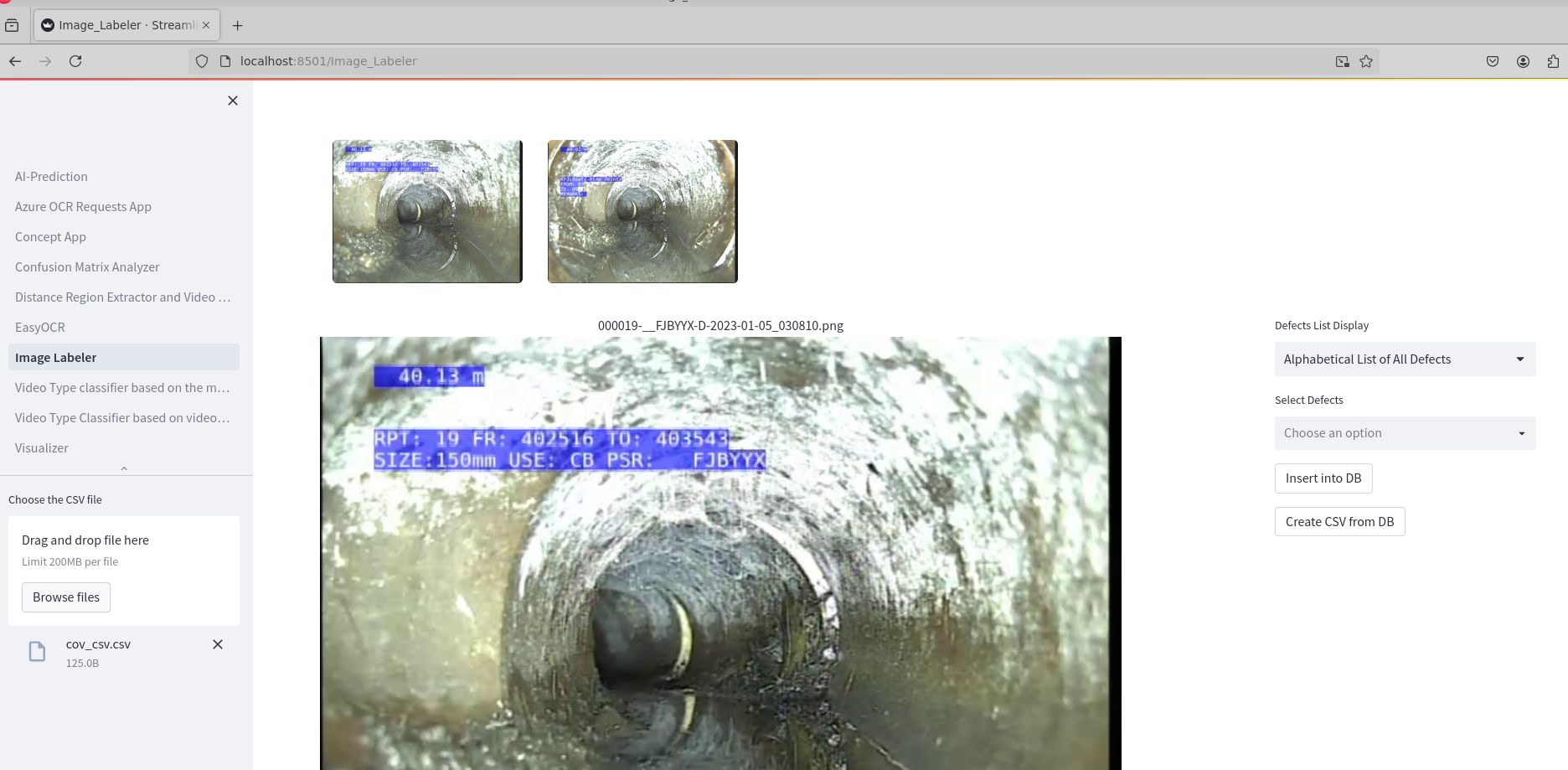
- This app is used for labelling images or frames.
- Inputs: CSV file with path to the frames.
10. Visualizer
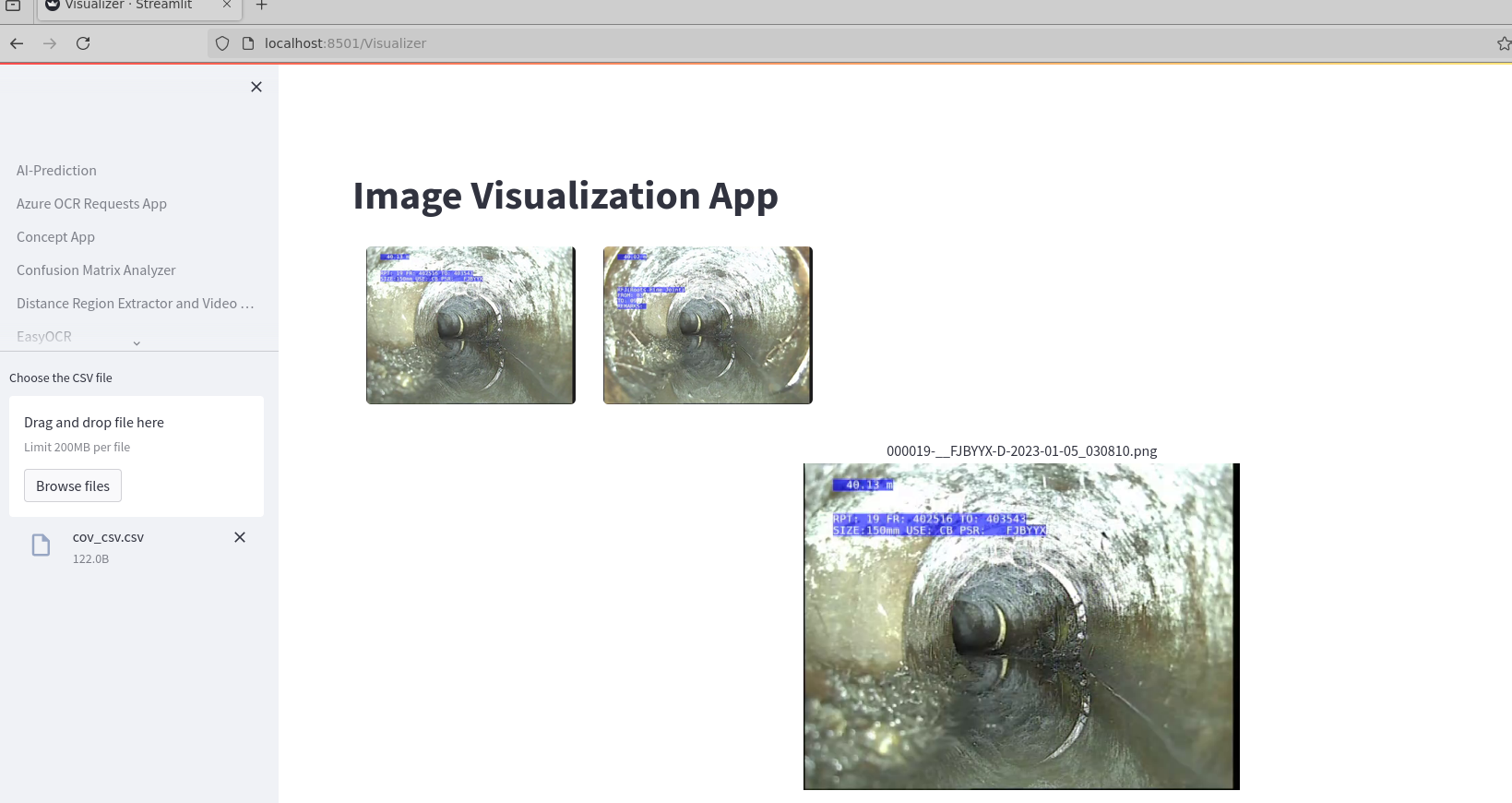
- This app helps in visualising images.
- Inputs: CSV file with path to the frames.